Callboard
Callboard app icon

Run, find and grow nets

Callboard is one place to find, run and grow nets, however people join: repeater, simplex, HF, GMRS, AllStarLink, EchoLink or DMR. Net control logs check-ins from a keyboard-first console, anyone can see who's logged, and clubs keep their roster and coverage without paperwork.

Get started free
  • Web and mobile
  • iPhone (coming soon)
  • iPad (coming soon)
  • Mac (coming soon)
  • Apple Watch (coming soon)
  • Keeps logging through a dropout
  • Your history stays
  • Screen reader announcements

What it does

Callboard: Keyboard-first net console

Keyboard-first net console

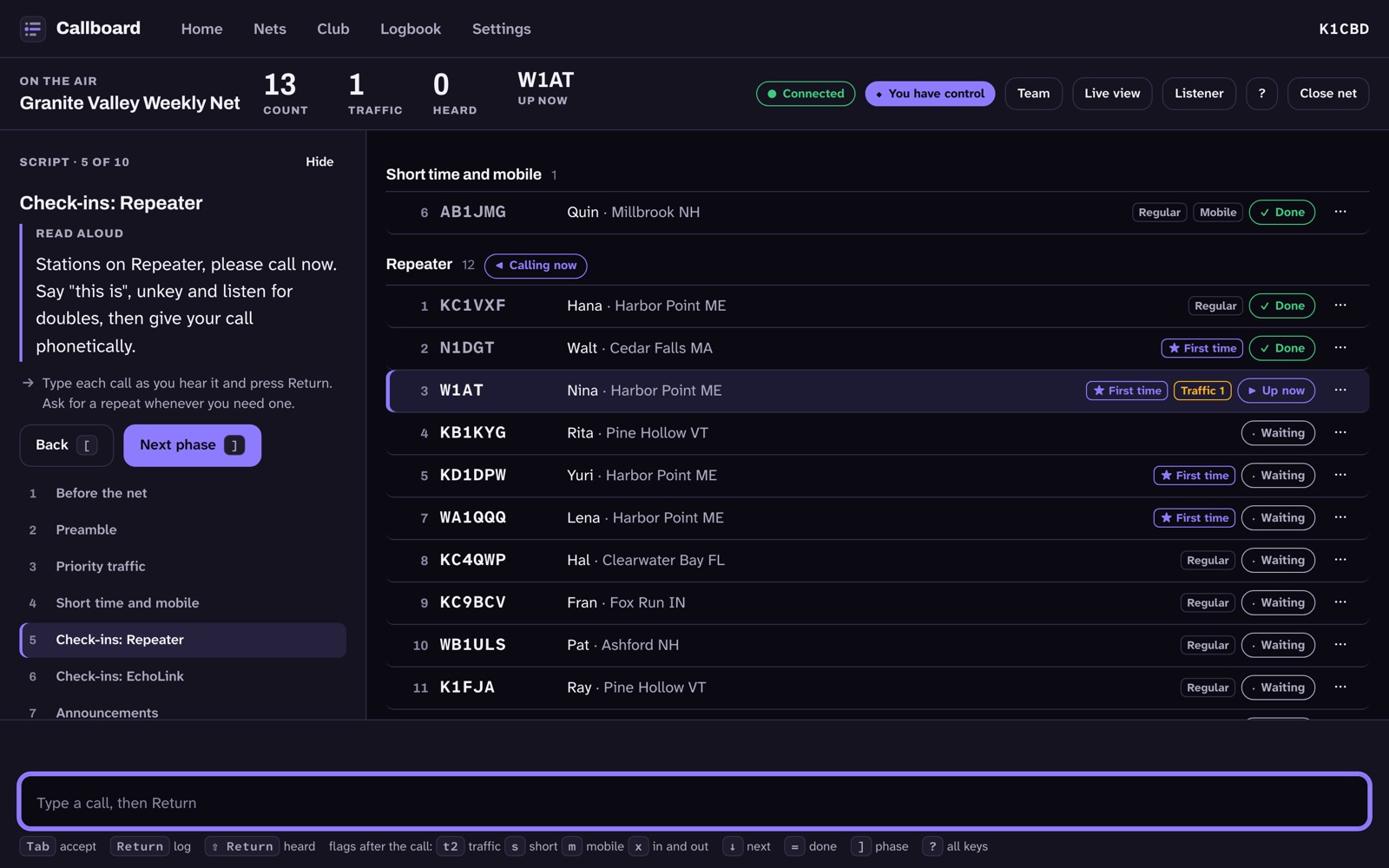
Type part of a call and press Return to log it. Flags like traffic or mobile go after the call, and punctuation keys run commands.

Callboard: Several loggers, one log

Several loggers, one log

Alternates and scribes log alongside net control. When two people log the same station, Callboard merges them into one row.

More with Pro
Callboard: One board for every net

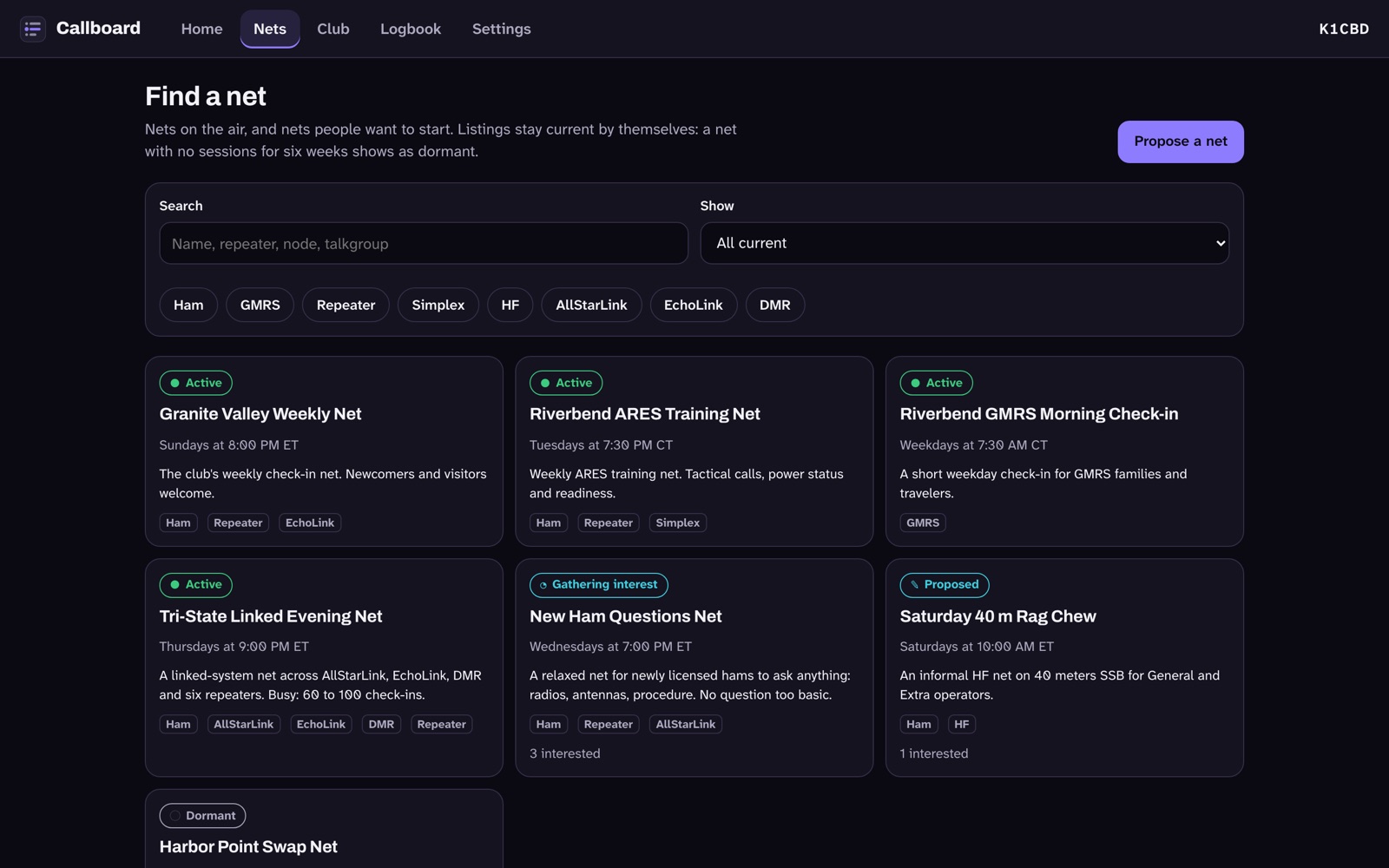
One board for every net

Browse current nets by service and by how you'd join: repeater, simplex, HF, GMRS, AllStarLink, EchoLink, DMR and more.
Callboard: Am I logged? live page

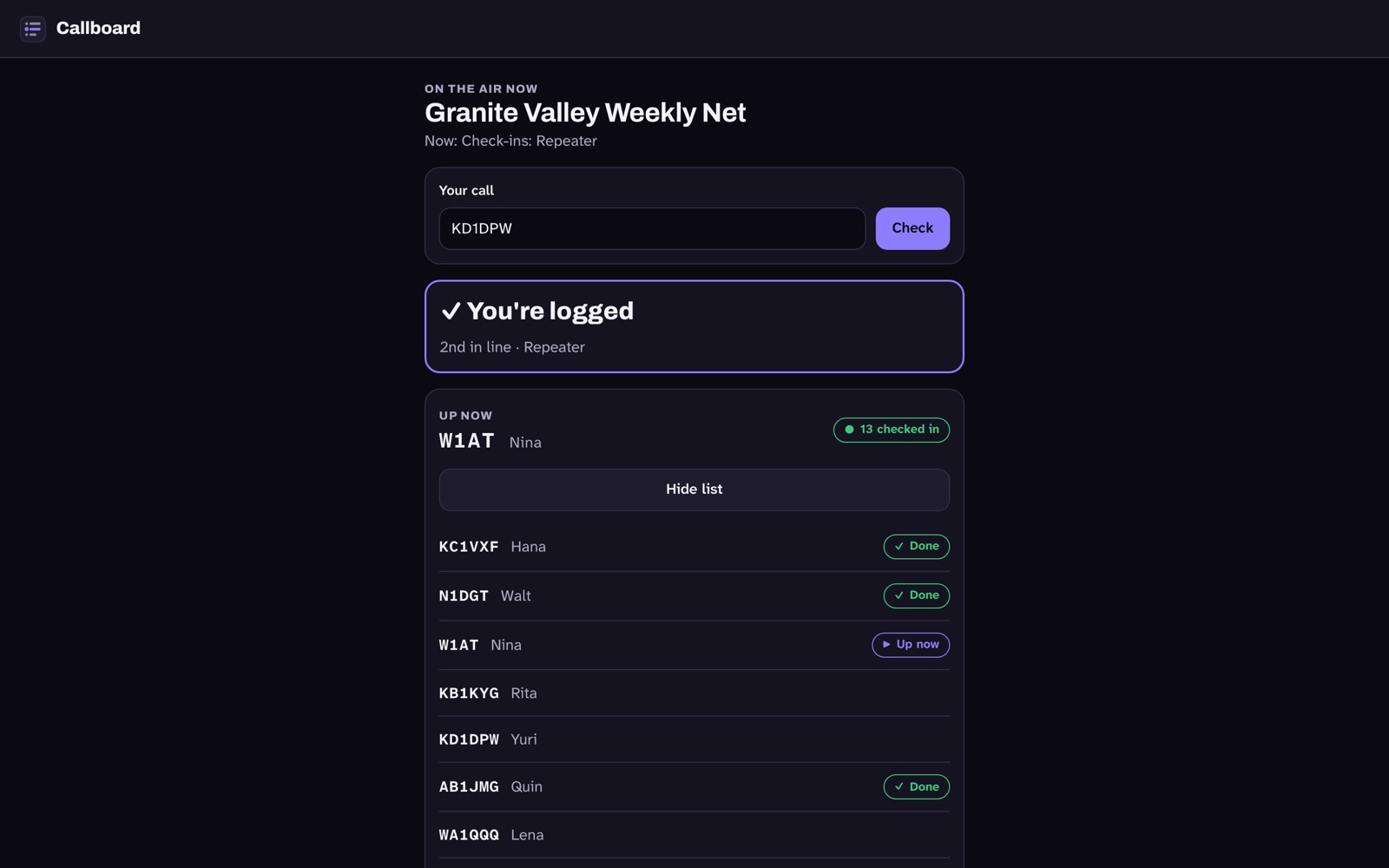
Am I logged? live page

Anyone can open a net's live page, enter a call and see if they're logged and where they are in line. No account needed.

Callboard: Claim an open net

Claim an open net

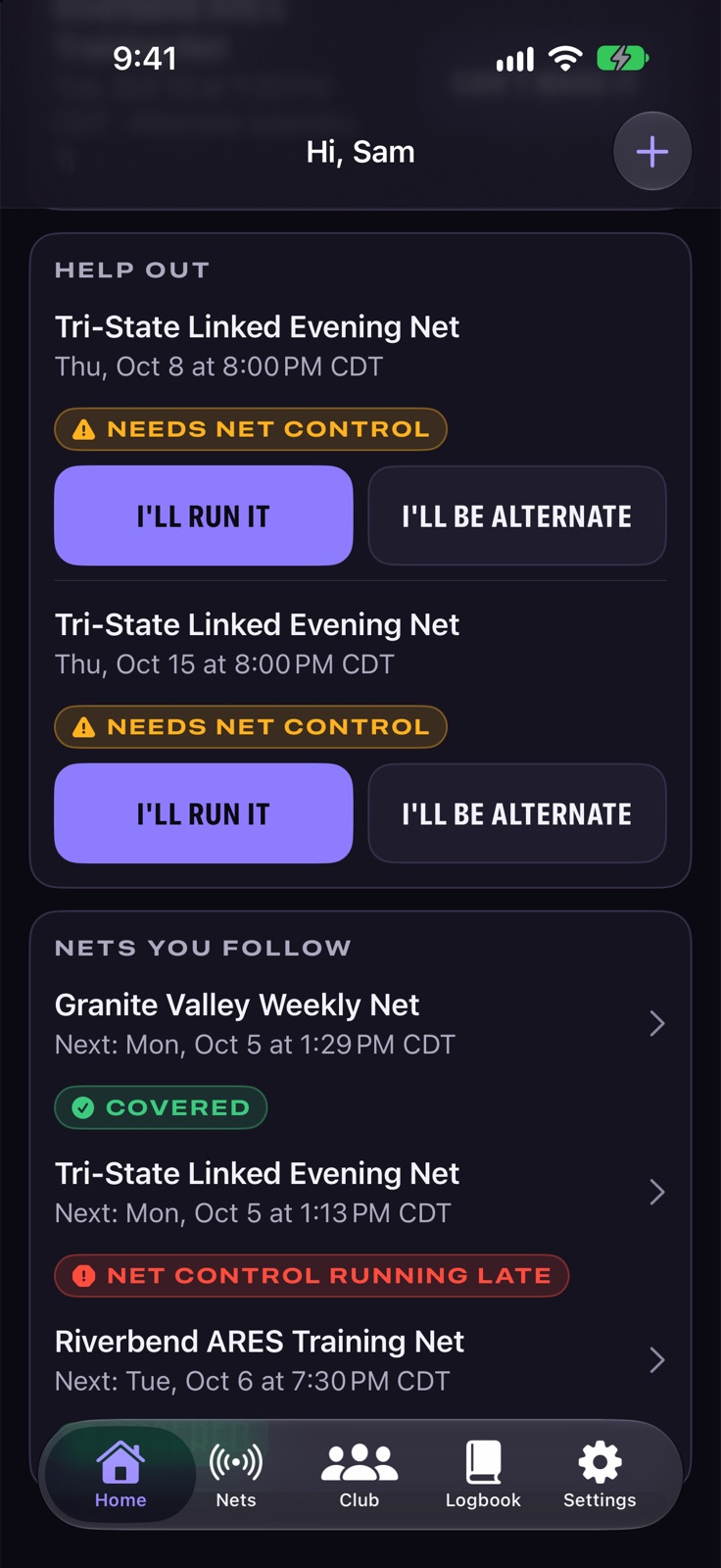
Upcoming sessions without net control show up under Help out. Claim one, or volunteer as alternate, in a tap.

Features

Built for net control

45 things Callboard does, grouped by what you're trying to do.

Run a net

15 features
  • Hand off net control

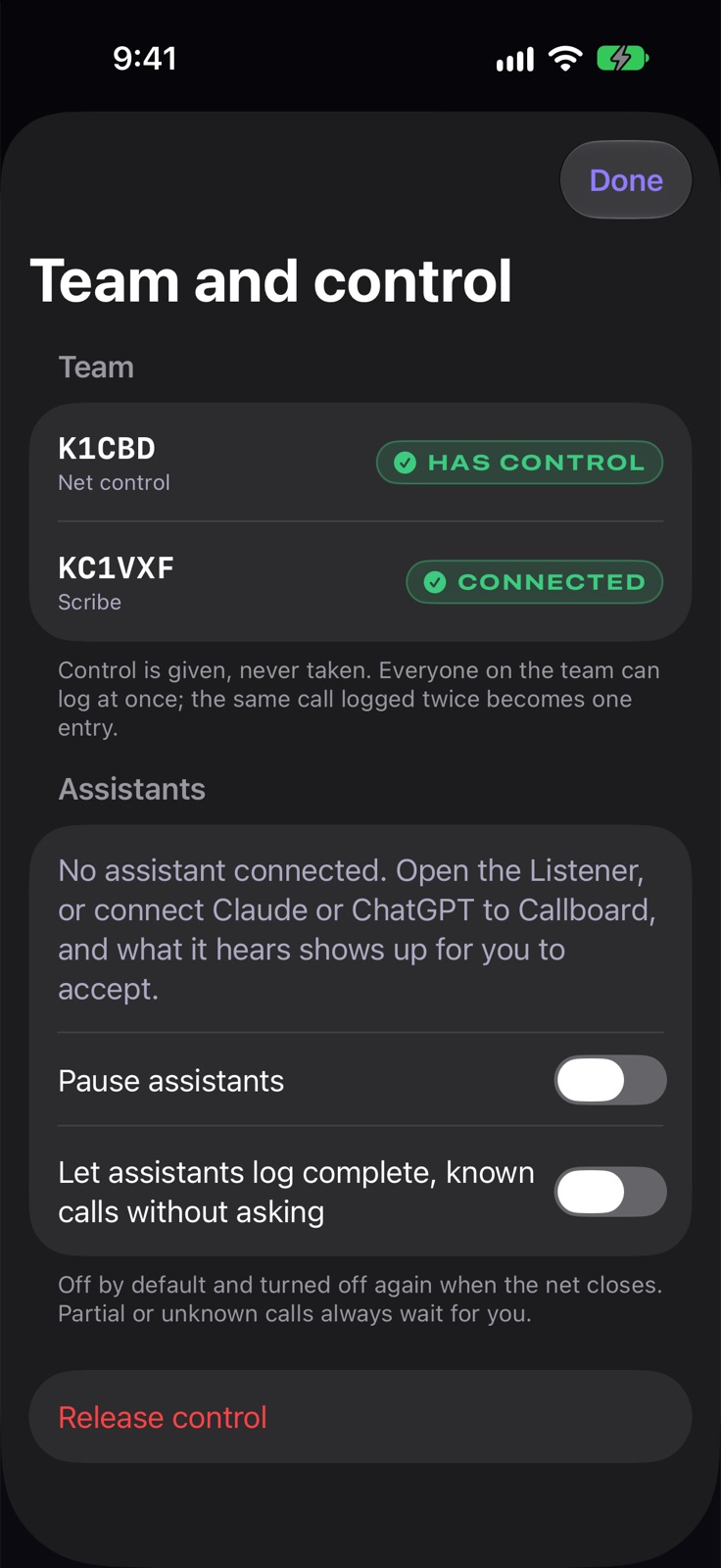
    Offer control to an alternate and they accept it. If net control goes quiet for a minute, control is released so an alternate can pick it up.

  • Speaking order by group

    Priority and short-time stations come first, then each check-in group in the order logged. Next brings up whoever is first in line.

  • Scripts with fill-ins

    More with Pro
  • Edit your net's script

  • Close with a count

  • A report for every session

  • Keeps logging through a dropout
  • Run a net from your phone
  • Apple Watch console
  • Live Activity during a net
  • Heard list
  • Station ID reminder
  • Undo your last entry
  • CSV export, always free
  • Practice sessions
What these do
Scripts with fill-ins
Follow your net's script phase by phase. What you read aloud is set apart from notes to you, with the net name, time and counts filled in.
Edit your net's script
Change any phase, add or reorder phases, and insert fill-ins, with a live preview of what net control will see. Notes go in square brackets.
Close with a count
When you close the net, Callboard gives you the check-in and traffic count to read on the air.
A report for every session
Each session gets a report with every check-in, traffic count and who ran it.
Keeps logging through a dropout
If the internet drops, keep logging. Entries go up in order when you reconnect.
Run a net from your phone
On a phone the console fits one hand, with Done, Heard and Next buttons under the entry field.
Apple Watch console
Net control gets the count, who's up, and Next and Done on the wrist. Checked in? The watch shows your place in line and taps once when you're up.
Live Activity during a net
While you run or join a net, the Lock Screen and Dynamic Island show the phase, the count, who's up and your place in line. Net control gets Next and Done.
Heard list
Jot down a partial call you couldn't catch and come back to it later, without slowing the net down.
Station ID reminder
The console shows when your station ID is due.
Undo your last entry
Undo takes back your own last change, even with other loggers working the same net.
CSV export, always free
Export any session you ran as CSV. Your own logs are never held back on any plan.
Practice sessions
Run a practice session to learn the console or train a new net control without touching the real log.

Find and start nets

5 features
  • Propose a new net

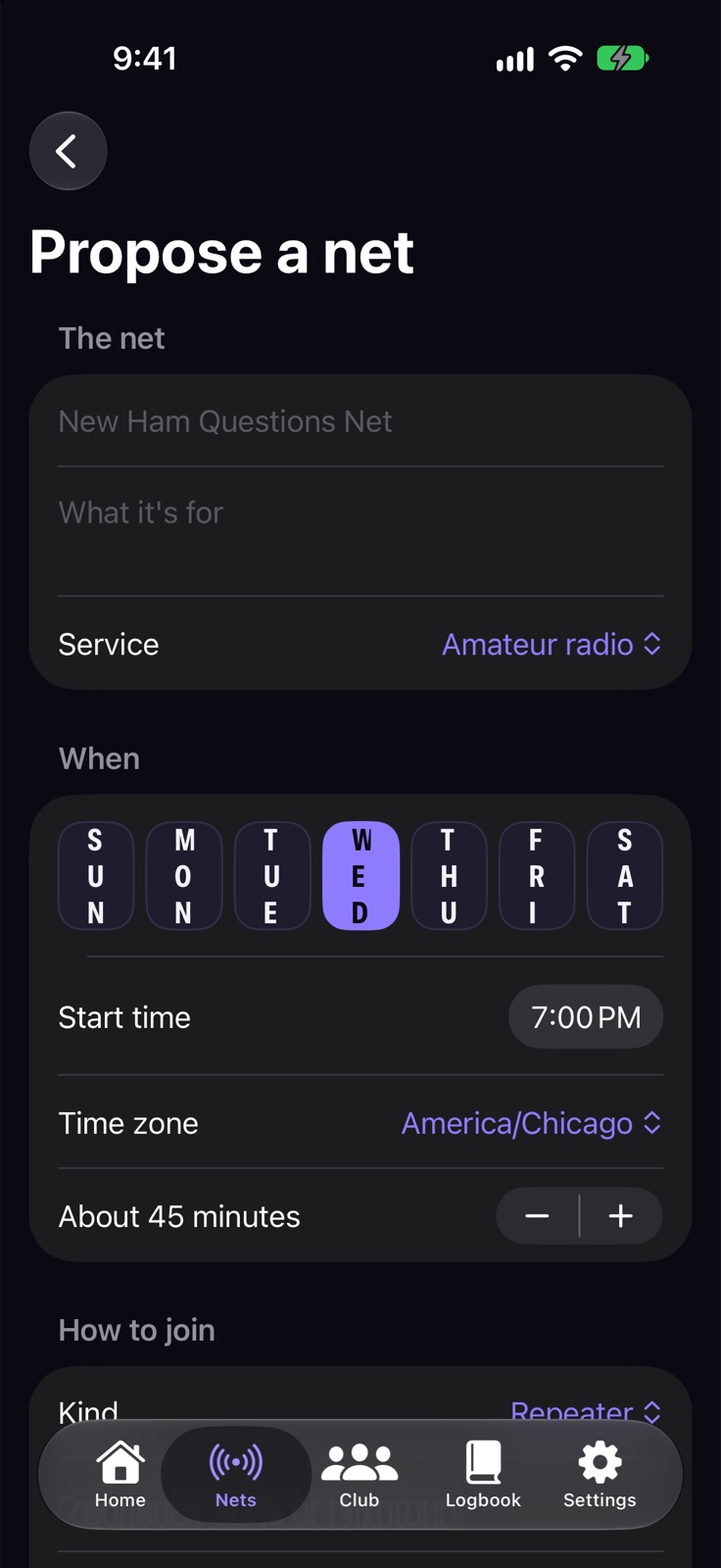
    Post a net idea, gather interest and the times that suit people, line up net control and an alternate, then launch it.

    More with Pro
    Callboard: Propose a new net
  • Every way to join, listed

    Each net page lists its frequencies, tones, nodes and talkgroups, with a link out to RepeaterBook for repeater details.

  • Follow nets
  • Add to calendar
  • Listings stay current
What these do
Follow nets
Follow the nets you care about and see their next session on your Home screen.
Add to calendar
Add any net's schedule to your calendar.
Listings stay current
A net with no sessions for six weeks shows as dormant on its own, so the board doesn't fill up with nets that stopped.

Keep nets covered

3 features
  • Cover a no-show

    If net control hasn't started on time, the first alternate on standby gets a banner to take over.

  • Next net and shift widgets

    Home Screen and Lock Screen widgets show your next net and your next shift, with the state in words: Needs net control, Covered or Running late.

  • Your shifts
What these do
Your shifts
Home lists the nets you're running or backing up, and Can't make it frees your spot for someone else.

For clubs

6 features
  • Club workspace

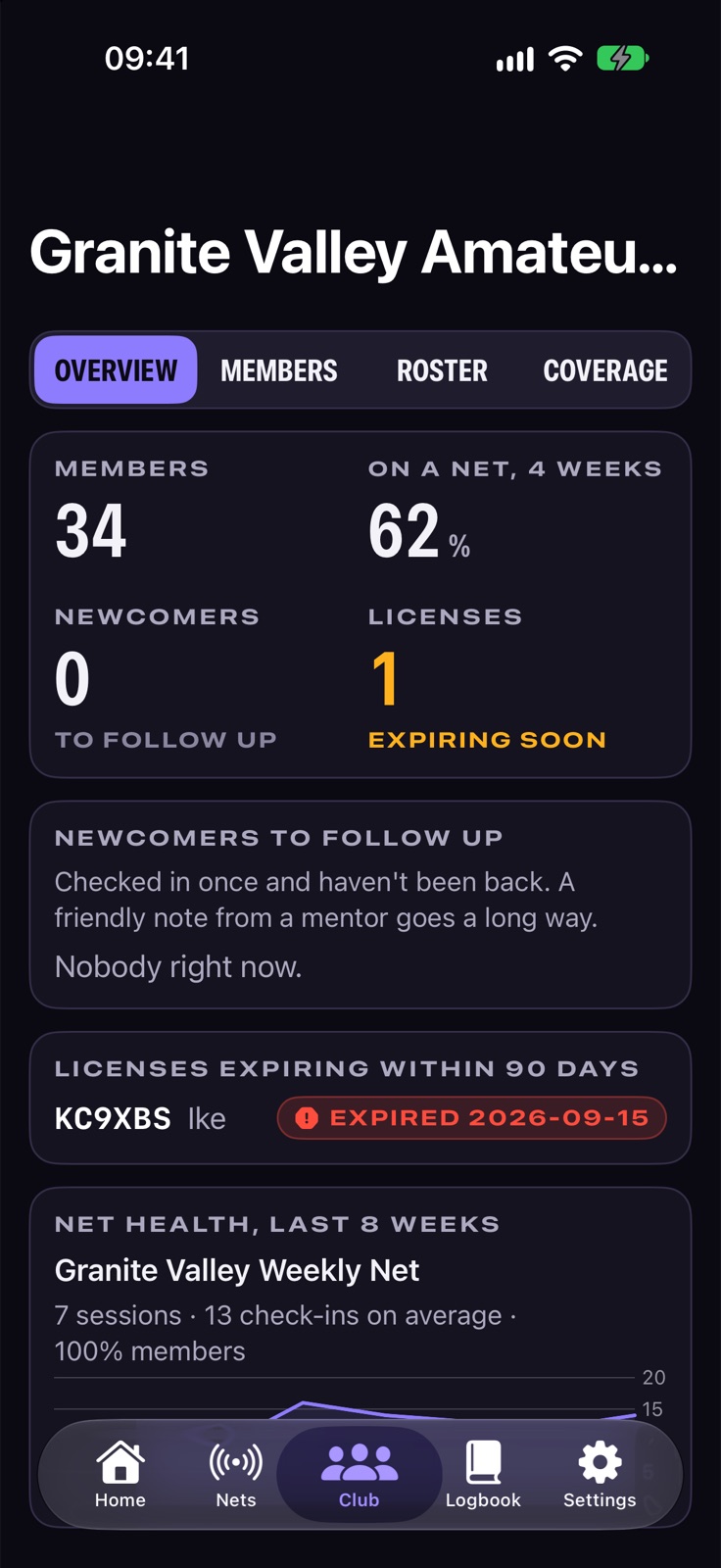
    Roster, member participation and net health come from your club's net logs, so officers keep nothing by hand.

    ClubComing soon
    Callboard: Club workspace
  • Newcomers to follow up

    See who checked in once and hasn't been back, so a mentor can reach out.

    ClubComing soon
  • License expiry watch

    See which members' licenses expire in the next 90 days, from FCC data.

    ClubComing soon
  • Who carries net controlClubComing soon
  • ARRL Club Update, pre-filledClubComing soon
  • Dues recordClubComing soon
What these do
Who carries net control
See who has run your club's nets lately, so one volunteer doesn't carry them all.
ARRL Club Update, pre-filled
The answers for your club's yearly ARRL Club Update, filled in from its rosters and net logs.
Dues record
Officers mark dues as paid on the roster. Callboard doesn't take payments.

Your logbook

2 features
  • Check-ins log themselves

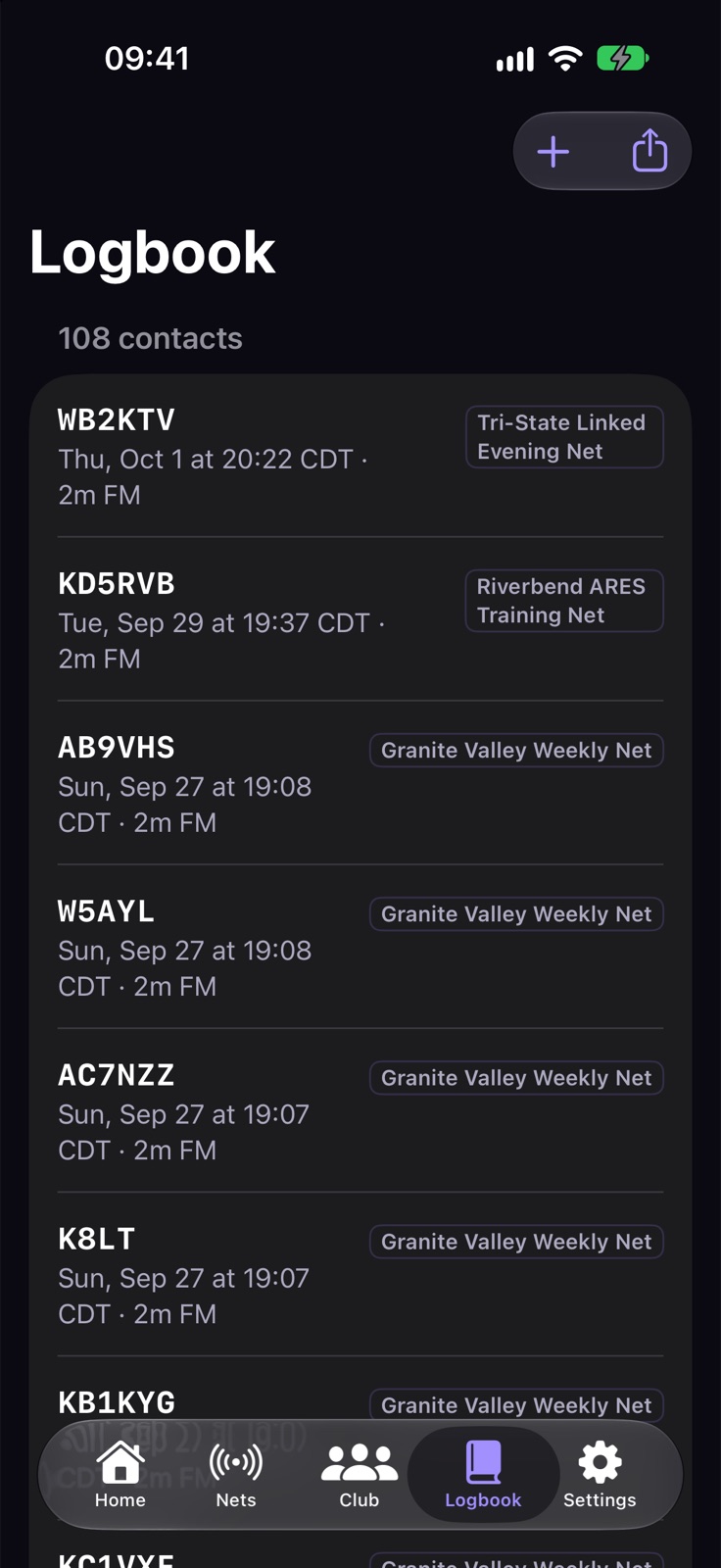
    Every net you check into becomes a contact in your logbook, and you can add other contacts by hand.
    Callboard: Check-ins log themselves
  • ADIF export
What these do
ADIF export
Export your logbook as ADIF for any other logging program.

Listening and assistants

3 features
  • Listener

    Let Callboard listen to the net through your microphone, or paste a transcript, and the calls it hears go to net control's Heard tray.

  • Suggestions you approve

    Calls an assistant hears wait in a tray for a person to accept with one key. Nothing is logged on its own unless net control turns that on.

  • Works with Claude and ChatGPTComing soon
What these do
Works with Claude and ChatGPT
Connect an assistant through MCP to find nets, log stations you name and send heard check-ins to net control.

Made for operators

11 features
  • Screen reader announcements

    Short announcements confirm what you logged, kept brief so they don't talk over the radio.

  • Day, Dark and Night red
  • Sign in with an emailed link
  • Report and block
  • Delete your account
  • Download your data
  • Install on your home screen
  • Your history stays
  • Mac menu and shortcuts
  • Swipe actions
  • Siri and Shortcuts
What these do
Day, Dark and Night red
Night red keeps your eyes adjusted in a dark shack. Automatic follows your device.
Sign in with an emailed link
No password to remember. Viewing the board and live pages needs no account at all.
Report and block
Report a listing or a station, and block anyone whose nets and proposals you don’t want to see. Listings several people report are hidden until reviewed.
Delete your account
Delete your account from Settings at any time. Nets other people rely on carry on, and your spots on upcoming sessions open up for others.
Download your data
Download everything Callboard holds about you as one file: profile, logbook, nets, clubs and the sessions you worked.
Install on your home screen
Add Callboard to your phone's home screen from the browser.
Your history stays
Net logs are kept on every plan, free included.
Mac menu and shortcuts
On the Mac, a Net menu runs the console from the keyboard.
Swipe actions
On iPhone, swipe a check-in to mark it done or checked out.
Siri and Shortcuts
Ask "When's my next net?" or "Who's up?" hands-free. Net control can say "Next station".

Everywhere you are

One app, on every screen you use

What each device adds.

  • Web and mobile

    • Keyboard-first net console
    • One board for every net
    • Am I logged? live page
    • Claim an open net
  • iPhone

    Coming soon

    • Live Activity during a net
    • Run a net from your phone
    • Next net and shift widgets
    • Keyboard-first net console
  • iPad

    Coming soon

    • Next net and shift widgets
    • Keyboard-first net console
    • Several loggers, one log
    • One board for every net
  • Mac

    Coming soon

    • Next net and shift widgets
    • Keyboard-first net console
    • Several loggers, one log
    • One board for every net
  • Apple Watch

    Coming soon

    • Apple Watch console

Your history stays

Net logs are kept on every plan, free included.

Pricing

Free during the beta

Running a net, the net board, claiming and volunteering are free. Pro is $2.99 a month or $29 a year, Club is $9.99 a month or $99 a year, and Hub is $19.99 a month or $199 a year. History is kept on every plan, and Callboard is free during the beta.

Free

Find nets, run one of your own, and keep your logbook.

  • Keyboard-first net console
  • Several loggers, one log: Up to 3 control seats per session
  • One board for every net
  • Am I logged? live page
  • Claim an open net
What each plan includes
FeatureFreeProClubHub
Several loggers, one logUp to 3 control seats per sessionUnlimited control seatsUnlimited control seatsUnlimited control seats
Scripts with fill-insClub net, ARES / emergency and blank scriptsThe full template library, adding NTS traffic and swap netsThe full template library, adding NTS traffic and swap netsThe full template library, adding NTS traffic and swap nets
Propose a new netOwn 1 netOwn up to 5 netsUnlimited nets for the clubUnlimited nets with sub-groups
Club workspaceNot includedNot includedIncludedIncluded
Newcomers to follow upNot includedNot includedIncludedIncluded
License expiry watchNot includedNot includedIncludedIncluded
Who carries net controlNot includedNot includedIncludedIncluded
ARRL Club Update, pre-filledNot includedNot includedIncludedIncluded
Dues recordNot includedNot includedIncludedIncluded

An email address to sign in. A ham or GMRS callsign to run or log a net.

Questions

Before you start

Can two people log the same net?

Alternates and scribes log alongside net control. When two people log the same station, Callboard merges them into one row.

What happens if my internet drops during a net?

If the internet drops, keep logging. Entries go up in order when you reconnect.

Can check-ins see that they've been logged?

Anyone can open a net's live page, enter a call and see if they're logged and where they are in line. No account needed.

How much does it cost?

Running a net, the net board, claiming and volunteering are free. Pro is $2.99 a month or $29 a year, Club is $9.99 a month or $99 a year, and Hub is $19.99 a month or $199 a year. History is kept on every plan, and Callboard is free during the beta.

Which devices does it run on?

Web and mobile, iPhone (coming soon), iPad (coming soon), Mac (coming soon), Apple Watch (coming soon).

What do I need?

An email address to sign in. A ham or GMRS callsign to run or log a net.

Something else? Get in touch.

Callboard

Find, run and grow nets

Get started free